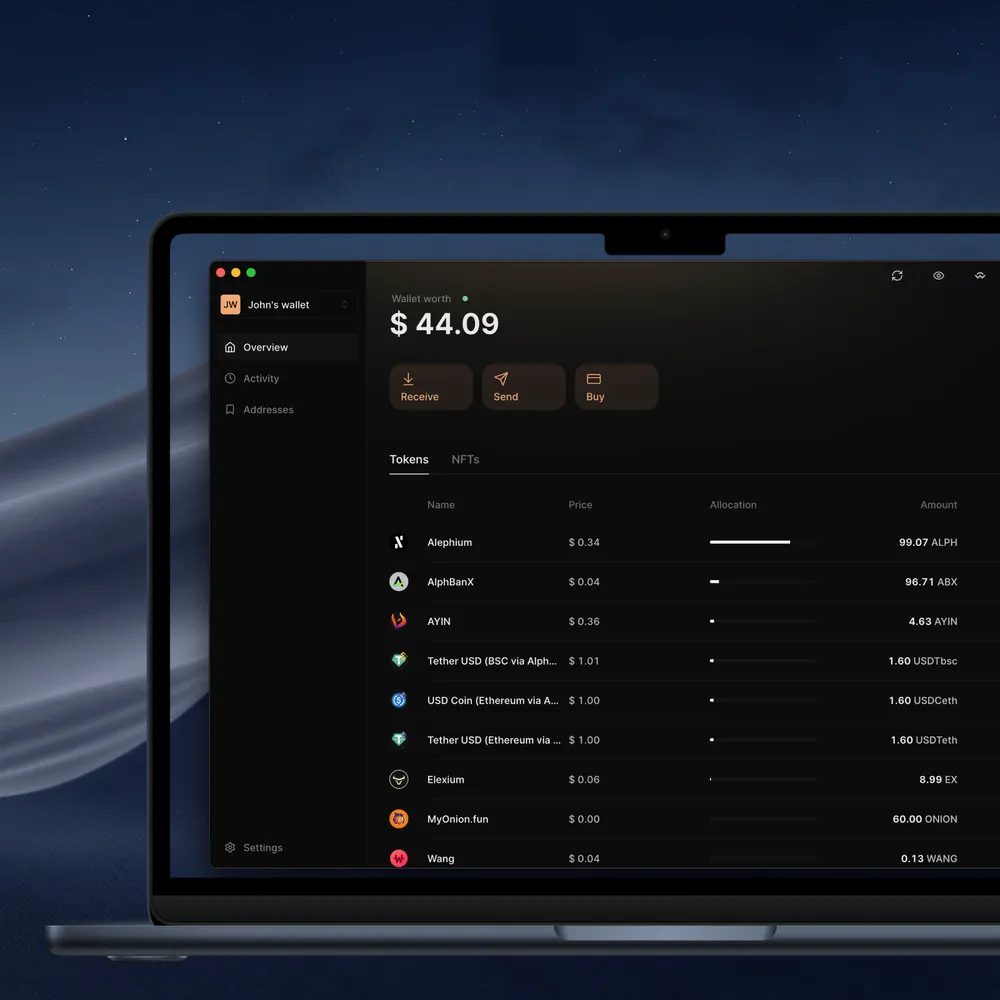
The Alephium Desktop Wallet is the flagship desktop wallet for the Alephium blockchain. It is a security-critical, long-lived product that has been in active development for more than five years and is used daily by thousands of users to manage assets, interact with dApps, and sign transactions safely.
I worked on the wallet as a core frontend engineer, contributing both to product features and to foundational architectural decisions together with my colleague Mikael Vraivre. The project was at its infancy when I joined and over time it evolved from a relatively simple Electron app into a highly modular, performance-sensitive system that balances UX, security, and scalability.
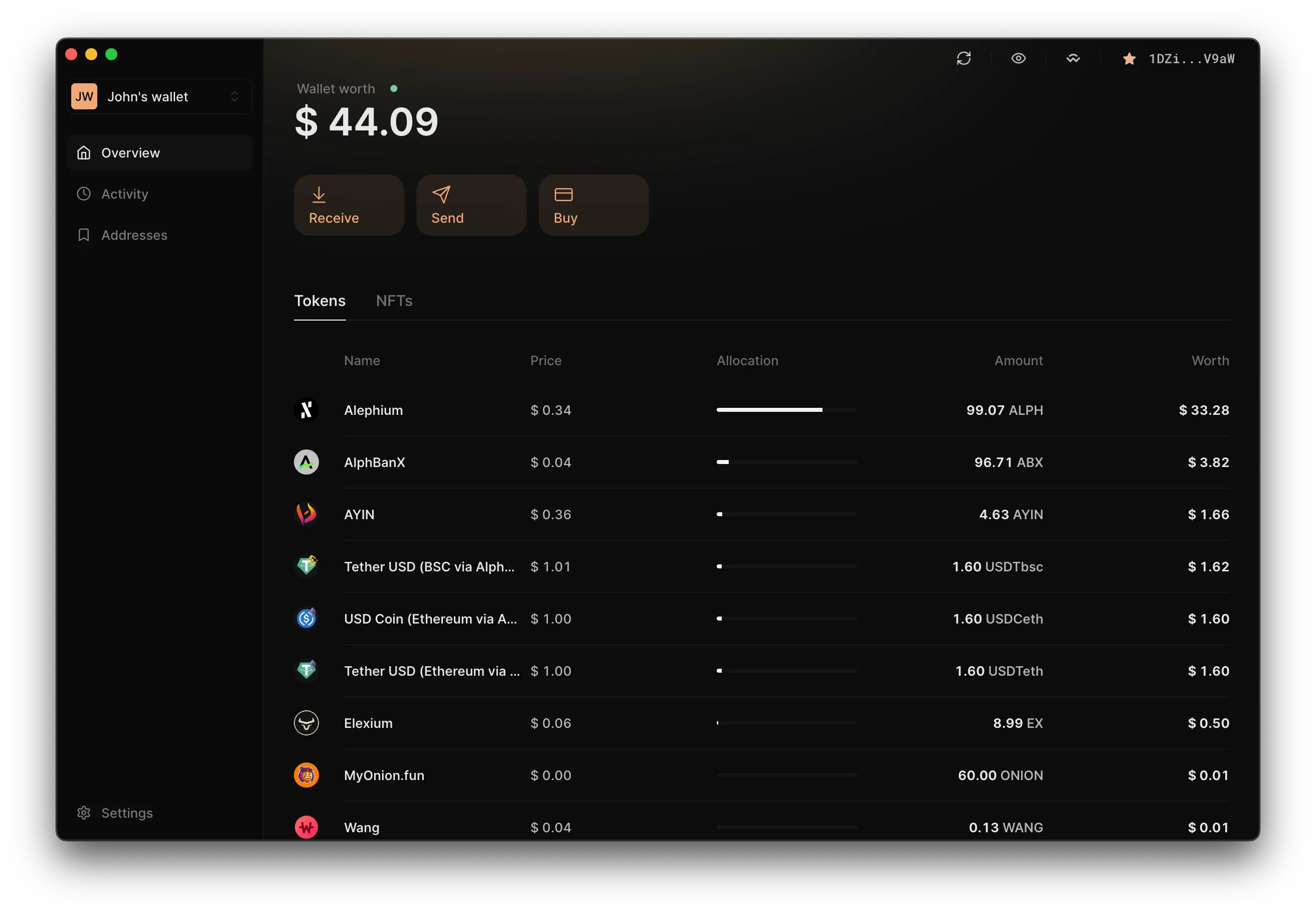
What the wallet does
At a high level, the Desktop Wallet enables users to securely create, manage, and use Alephium wallets on their local machine, while integrating deeply with the Alephium ecosystem.
Multiple seeds
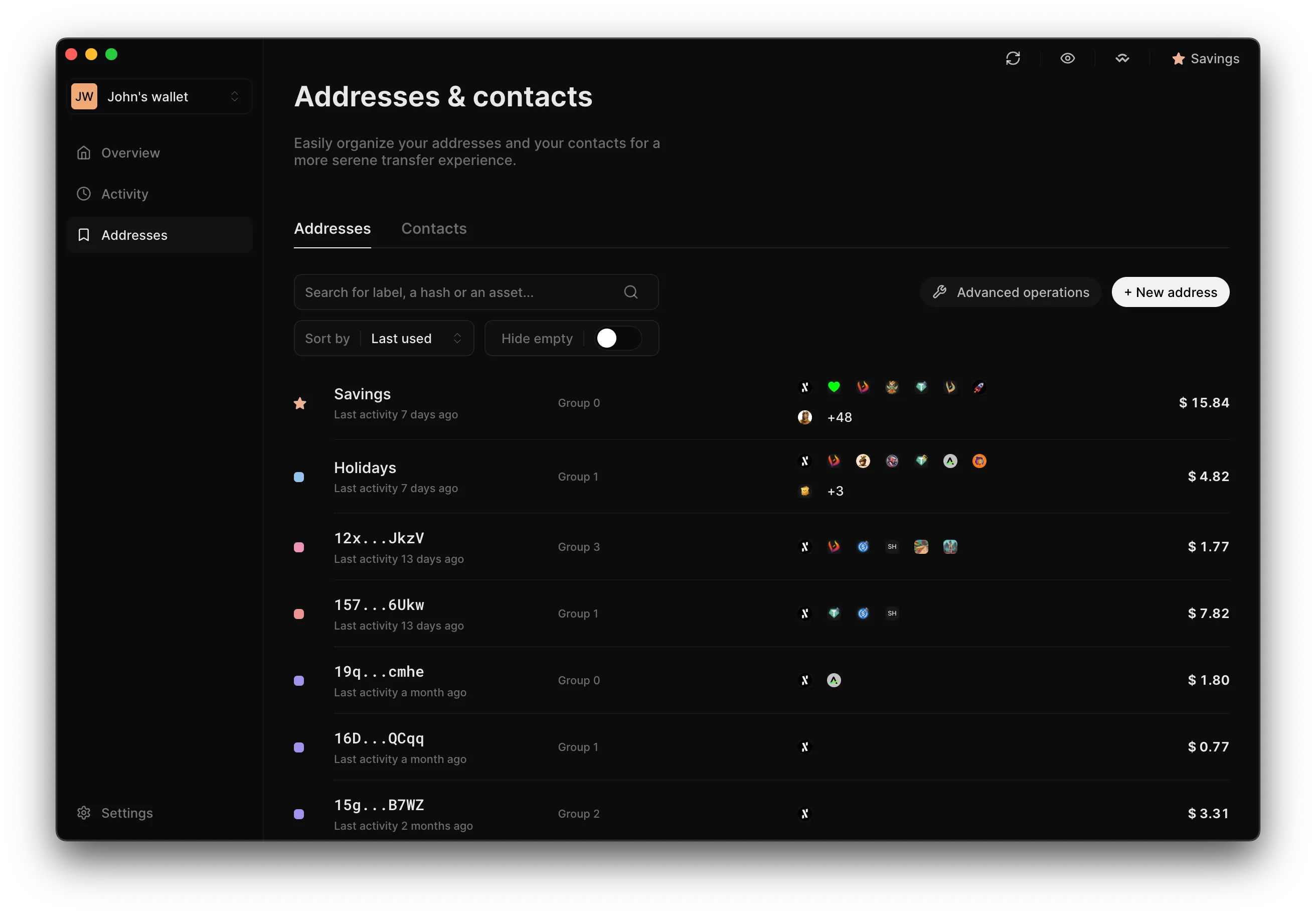
Create and manage multiple encrypted and locally stored Alephium wallets.Multiple addresses
Supports multiple addresses per wallet with deterministic restoration.Send transactions
Send multiple assets and NFTs per tx, with optional unlock dates.Transaction history
View, filter, and export transaction history.Passphrase wallets
Create passphrase wallets for advanced security and plausible deniability.
Ledger integration
Connect Ledger hardware wallets for cold signing.WalletConnect integration
Connect to Alephium dApps via WalletConnect.Offline mode
Supports offline mode for air-gapped wallet generation.Export wallets
Export wallets with seamless import into the Alephium Mobile Wallet.Tech stack
The app is built on a modern, type-safe frontend stack optimized for long-running desktop applications, security-critical flows, and complex client-side state. It is packaged as a cross-platform desktop app using Electron, with Node.js powering the main process.
The entire codebase is written in TypeScript, which is essential for a project of this size and longevity.
The UI is built with React and styled using styled-components, which allows for colocated styles that evolve with the component.
The state is split between UI/local and remote state. UI state is managed with Redux Toolkit and remote state with TanStack Query. Using an async library like Tanstack Query allows for decoupling the data fetching from the UI state management and provides useful features such as caching, prefetching, and query invalidation.
Why this stack
This combination allows the wallet to scale in complexity without collapsing under its own weight:
- Electron + Node.js → controlled OS access
- TypeScript → safety in a large, shared codebase
- Redux → predictable UI and local state
- TanStack Query → performant, declarative server state
- Styled-components → flexible theming and customization
Architecture
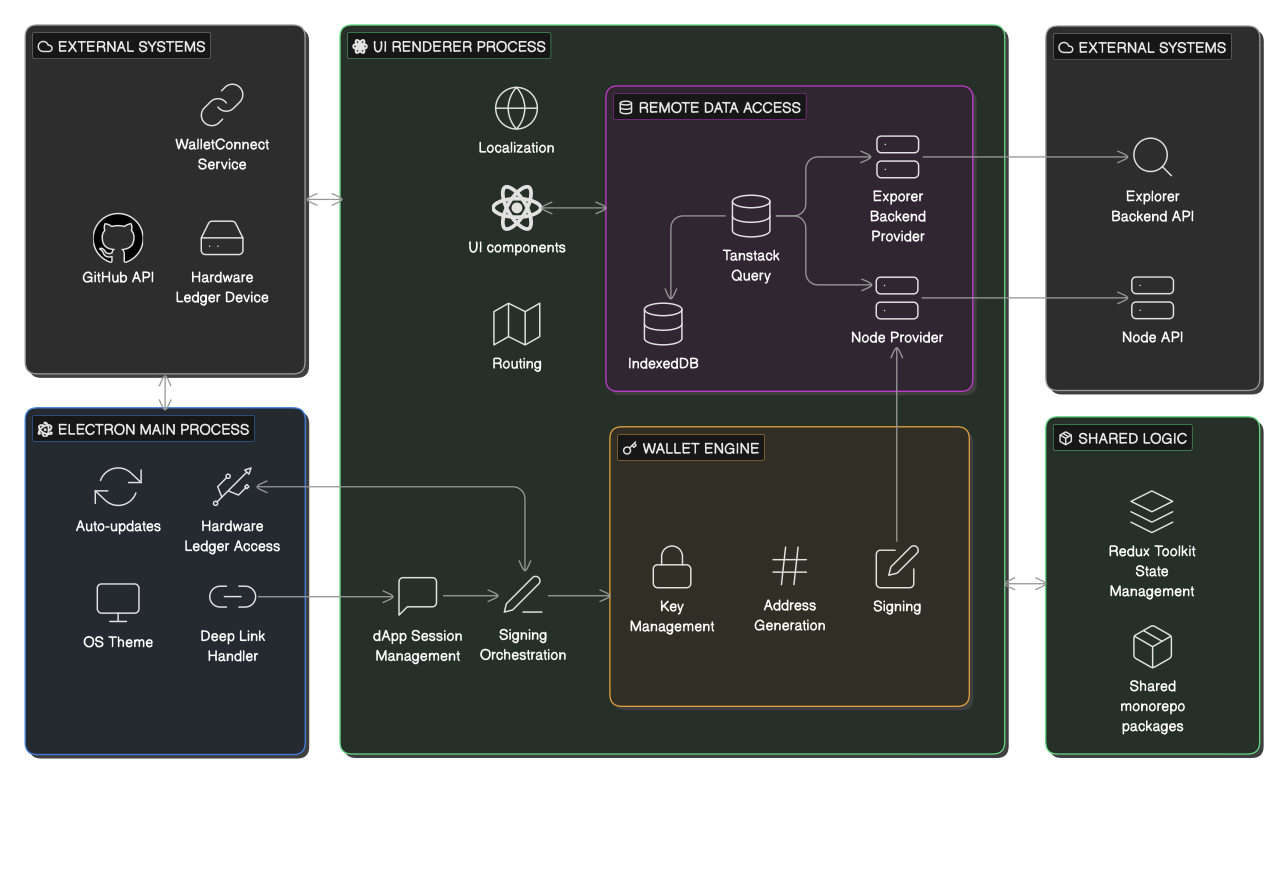
The app can be described in the following subsystems:
Electron main process
This is the Node.js part of the app that is responsible for the OS-level interactions and the app’s lifecycle. It handles auto-updates, deep links, native theme integration, and hardware access such as Ledger devices.
UI renderer process
This is the React part of the app that is responsible for the UI. It handles the routing, networking, localization, signing orchestration, and all user-facing logic.
This separation keeps the security-sensitive OS layer small and auditable, while allowing the product logic to remain web-native.
State management
Global UI and local state is managed with Redux Toolkit and shared through packages in our monorepo with the Alephium Mobile Wallet.
Remote data access
Tanstack Query is used to read and cache on-chain data. Data is persisted in IndexedDB, scoped per wallet. Transactions are submitted using the node provider from the Alephium web3 package.
Wallet engine
The wallet engine consists of three main components:
- Key management: storing encrypted mnemonics and decrypting for signing.
- Signing: signing with stored mnemonic or with hardware wallets.
- Address generation: discovering active addresses and deterministically regenerating addresses from stored metadata.
dApp connectivity
The main process captures alephium:// deep links and forwards them to the renderer. The renderer manages sessions, proposal approval, and signing requests. When user action is required, the app automatically brings itself to the foreground.
Engineering decisions
Process boundary: Electron main vs renderer
The Electron main process focuses on OS integration (window lifecycle, deep links, updater, native theme) whereas the product logic runs in the React renderer. This is the recommended choice for Electron apps so that UI logic stays web-native and OS privileges are centralized and easier to audit. Only a curated API is exposed via the contextBridge to reduce accidental privilege escalation. It enforces a security boundary with the cost of additional boilerplate code for IPC (Inter-Process Communication) surface design.
Renderer state model: Redux Toolkit + TanStack Query
The app has evolved over the last 5 years. The UI state as well as server-derived data state was initially stored in React.Context while API requests were made using fetch in simple React hooks. This proved to be very limiting regarding performance and reasoning so soon after I joined the team I initiated a project to migrate it to Redux using Redux Toolkit. Redux Toolkit was chosen due to its wide use and available resources and documentation. It turned out to be a success. The async logic was moved into Redux thunks, while the state now lived in Redux slices. Each component could request the data they needed through selectors and avoid lots of the performance issues we had with React.Context.
The current architecture includes Redux for UI state and Tanstack Query for server state. We migrated the server state from Redux to Tanstack Query to benefit from several features such an async library provides, such as a request retry mechanism and caching. This has improved the performance of the app even further. It also disentangled the logic of how and when API requests are fired, something that it was quite challenging to achieve with Redux thunks. On the downside, the developer now has to maintain two mental models and two debugging interfaces. All read-flows are now declarative through the Tanstack Query hooks, but the write flows remain imperative. I documented the whole migration, with before-and-after profiling data, in my five-part TanStack Query case study.
Persistence strategy: localStorage for durable user config, IndexedDB for query cache
Settings and wallet metadata are stored in localStorage to benefit from persistence and synchronicity, whereas the query cache is stored in IndexedDB to overcome the storage size limits of localStorage. This allowed us to achieve simple and dependency-light data persistence. Having a per-wallet query cache enables fast rehydration without re-fetching everything. The challenge with caching has always been cache invalidation. We chose a pragmatic approach to keep the cache between app unlocks, but completely clear it on app updates. This “invalidate-everything” approach is safer than partial migrations, but it sacrifices cached performance after upgrades.
Wallet security posture: decrypt in memory, clear on lock
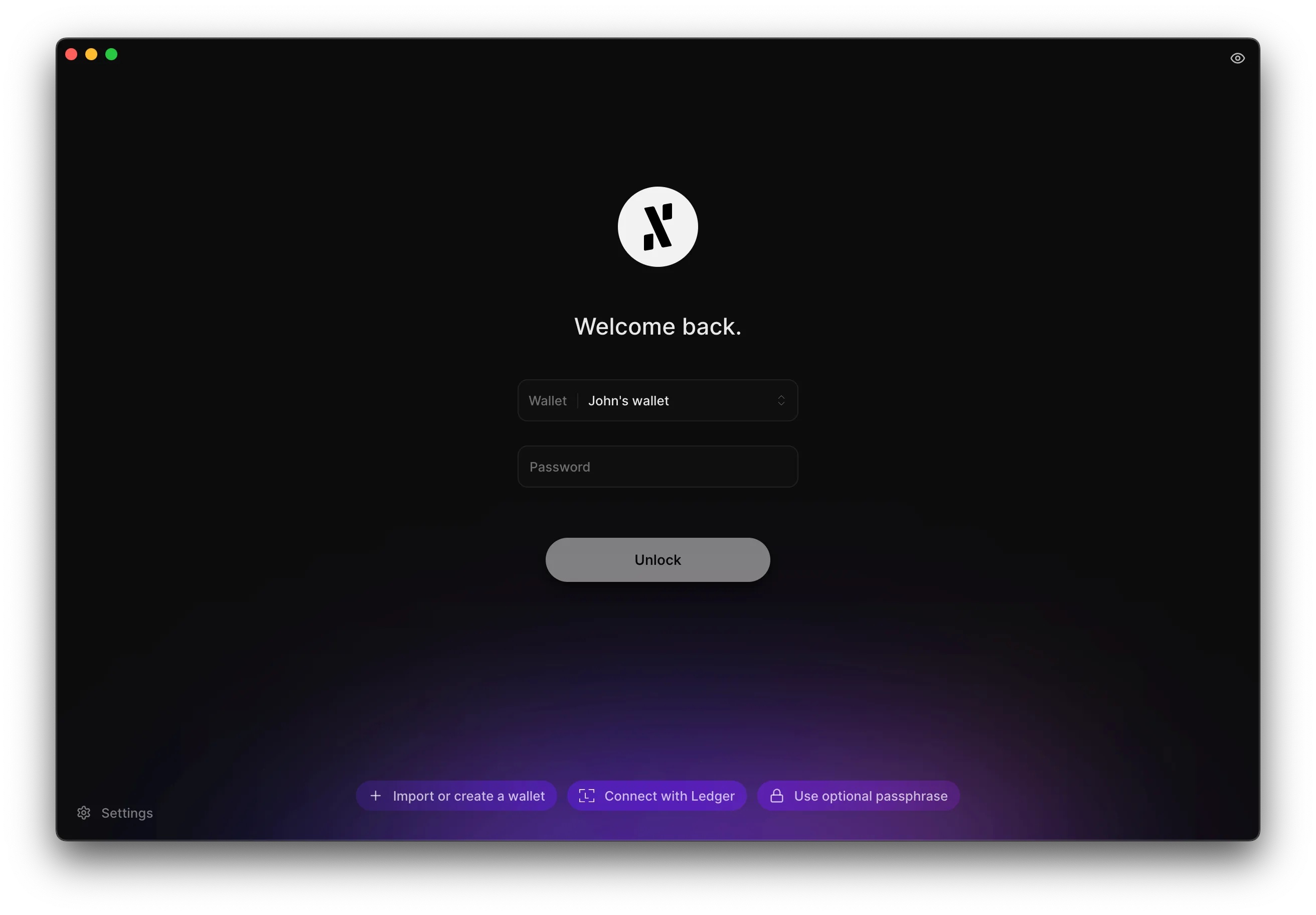
We decided to treat decrypted secrets as in-memory only, by clearing on lock and on idle. This aligns with the desktop threat model (walk-away/background exposure). It also simplifies UX: The user enters their password to unlock their wallet. For as long as the wallet is unlocked, the user does not need to re-enter their password to sign transactions. When the user locks their wallet (or when the app detects an idle state), the secrets are cleared from memory, and the user needs to re-enter their password to decrypt them. Ideally, the user would need to confirm with their password every time they would have to send a transaction (a feature that can be enabled through the app settings) so that no secrets would need to be kept in-memory. This is a UX/security trade-off.
Address management: metadata-first restore + network-driven discovery
The app persists minimal address metadata (such as index, key type, settings) and it deterministically regenerates addresses on unlock. This creates a small persistent footprint. The drawback is additional computation at unlock to regenerate addresses.
Passphrase-enabled wallets
Address metadata such as the index (used for deterministic regeneration) as well as name and color are stored in persisted storage. This allows for a better UX: the user can tag their addresses so they can identify them easier. It also allows persisting the generated addresses between app unlocks. An exception to this is passphrase-enabled wallets. Those wallets do not store anything in persisted storage. This decision was taken for security reasons in order to achieve plausible deniability: An attacker will have no way of knowing whether you have funds in passphrase-enabled wallets and no way to prove it since there are no evidence in the storage of the app. The cost for this security feature is, once again, UX: Passphrase wallet users need to regenerate their addresses on every unlock, and they cannot persist metadata such as name and color for each address. This is an acceptable trade-off considering that it is an advanced feature.
Challenges & lessons learned
This project has its fair share of challenges and lessons learned. From secrets management in process memory to API rate limiting, throttling and caching, there was and still is a lot to learn from this project. I cover the async-state journey in depth in my five-part TanStack Query case study.
Early misuse of React Context
Storing API data in React Context led to excessive re-renders. The defined Map object turned out not to be the appropriate data structure to store the remote addresses data, since a new object would be defined for every data change of any address of the wallet, causing components to re-render even though they didn’t have to. The solution was to migrate the data layer to Redux.
Blocking auto-update due to GitHub API rate limiting
The app uses the GitHub API to check for updates. The GitHub API has a rate limit. To avoid it, we would only check for updates once a day, or on every start-up. Due to a mistake in the dependency array of a useEffect hook, however, the app spammed the GitHub API with requests, causing it to temporarily block the app’s auto-update pipeline. It was a painful but formative lesson in how easy it is to overload both the frontend and external services. The solution came with using a proper async library for making API requests instead of a simple hook.
Scaling API usage
As Alephium grew, the naive “poll everything” strategy collapsed:
- Too many endpoints.
- Too many addresses.
- Too many tokens and NFTs.
The solution came in many stages, each covered in detail in my TanStack Query case study:
- Backend and frontend rate limiting.
- Smarter retry handling.
- Proper caching with TanStack Query.
- A “latest transaction” sentinel query to control when other queries should refresh.
- Limiting background refreshes to the most active addresses.
- Persisting query caches across sessions.
Each step reduced load and improved UX, especially for power users with large wallets.
Startup performance
Persisted caches solved cold-start slowness, but continuous throttled persistence had problems of its own: it wastefully re-serialized the entire cache on every poll tick, and, more importantly, its deferred writes could lose the race against process suspension and drop data. The final solution was to persist the cache synchronously at well-defined lifecycle points (before quit), rather than continuously. I cover the reasoning in Part 5 of my TanStack Query series.
What this project says about me
This project reflects how I approach complex, long-lived software:
- Start pragmatic, but refactor when scale demands it.
- Treat performance and security as first-class product features.
- Prefer clear mental models over clever abstractions.
- Be willing to migrate large systems when the payoff is worth it.
Working on the Alephium Desktop Wallet significantly shaped how I design frontend architectures for serious, state-heavy applications, especially in environments where security and correctness matter as much as UX.